Drlogy
Healthcare organization
7 Ideal Pathology Report Format & Template Ideas Example
Welcome to the 12th blog focusing on theeal Pathology Report Format & Templateeas for your labs. Crafting aneal pathology report format and template is crucial for ensuring clear communication of diagnostic findings and facilitating informed decision-making by healthcare professionals.
Recommended
In this Drlogy Pathology Report Format, we'll learn to create well-designed templates enhance efficiency, accuracy, and professionalism in laboratory reporting, ultimately contributing to improved patient care and outcomes.
7eal Pathology Report Format and Templateeas
Here are 7eal Pathology Report Format and Templateeas.
| Aspect | Description |
|---|---|
| Structure | Define clear sections for patient information, test results, and interpretations. |
| Template Design | Choose a visually appealing design that aligns with lab branding and enhances readability. |
| Customization | Allow flexibility to tailor templates to specific reporting needs and preferences. |
| Layout | Ensure a logical and intuitive layout for easy navigation and understanding. |
| Simplicity | Strive for simplicity in design anduage to avoid confusion and enhance clarity. |
| Data Presentation | Present data in a structured and easily interpretable format, using tables and graphs when appropriate. |
| Credibility | Maintain professionalism and credibility by adhering to industry standards and regulatory requirements. |
1. Structure
- Divide the report into clear sections such as patient demographics, test details, results, and interpretations.
- Ensure a logical flow of information from introduction to conclusion.
- Use headings and subheadings to organize content and improve readability.
- Include placeholders for essential information to maintain consistency across reports.
- Incorporate sections for additional notes or comments as needed.
2. Template Design
- Choose a visually appealing layout that reflects the lab's branding andentity.
- Use consistent colors, fonts, and formattings throughout the template.
- Balance aesthetics with functionality to prioritize readability and usability.
- Incorporate white space to reduce clutter and enhance visual clarity.
- Ensure compatibility with printing and viewing across different devices and platforms.
3. Customization
- Provide options for customization to accommodate varying reporting needs and preferences.
- Allow users to adjust template elements such as headers, footers, and logos.
- Enable the addition or removal of sections based on specific requirements.
- Offer flexibility in formattings, such as font size and alignment.
- Implement user-friendly tools for easy template modification without technical expertise.
4. Layout
- Design a layout that guides the reader's attention and facilitates quick information retrieval.
- Arrange content logically, starting with essential information at the top.
- Use clear headings and subheadings to break up text and improve scalability.
- Group related information together to create cohesive sections.
- Consider the use of columns, tables, or bullet points to organize complex data sets.
5. Simplicity
- Strive for simplicity in design anduage to enhance understanding and reduce errors.
- Use plainuage and avoid technical jargon whenever possible.
- Limit the use of unnecessary graphics or decorative elements that may distract from the content.
- Keep sentences and paragraphs concise, focusing on conveying information efficiently.
- Test the template with end-users toentify and eliminate any unnecessary complexities.
6. Data Presentation
- Present data in a structured manner, using tables, charts, or graphs for clarity.
- Ensure consistency in data formatting, such as units of measurement and decimal places.
- Highlight abnormal or critical values for quickentification.
- Include relevant reference ranges or normal values for comparison.
- Provide explanations or interpretations alongside complex data to aid understanding.
7. Credibility
- Maintain professionalism by adhering to industry standards and best practices.
- Include necessary accreditation or certification logos to enhance credibility.
- Ensure accuracy and reliability of information through rigorous quality control measures.
- Provide clear attribution for sources or references cited within the report.
- Regularly review and update templates to reflect the latest guidelines and advancements in the field.
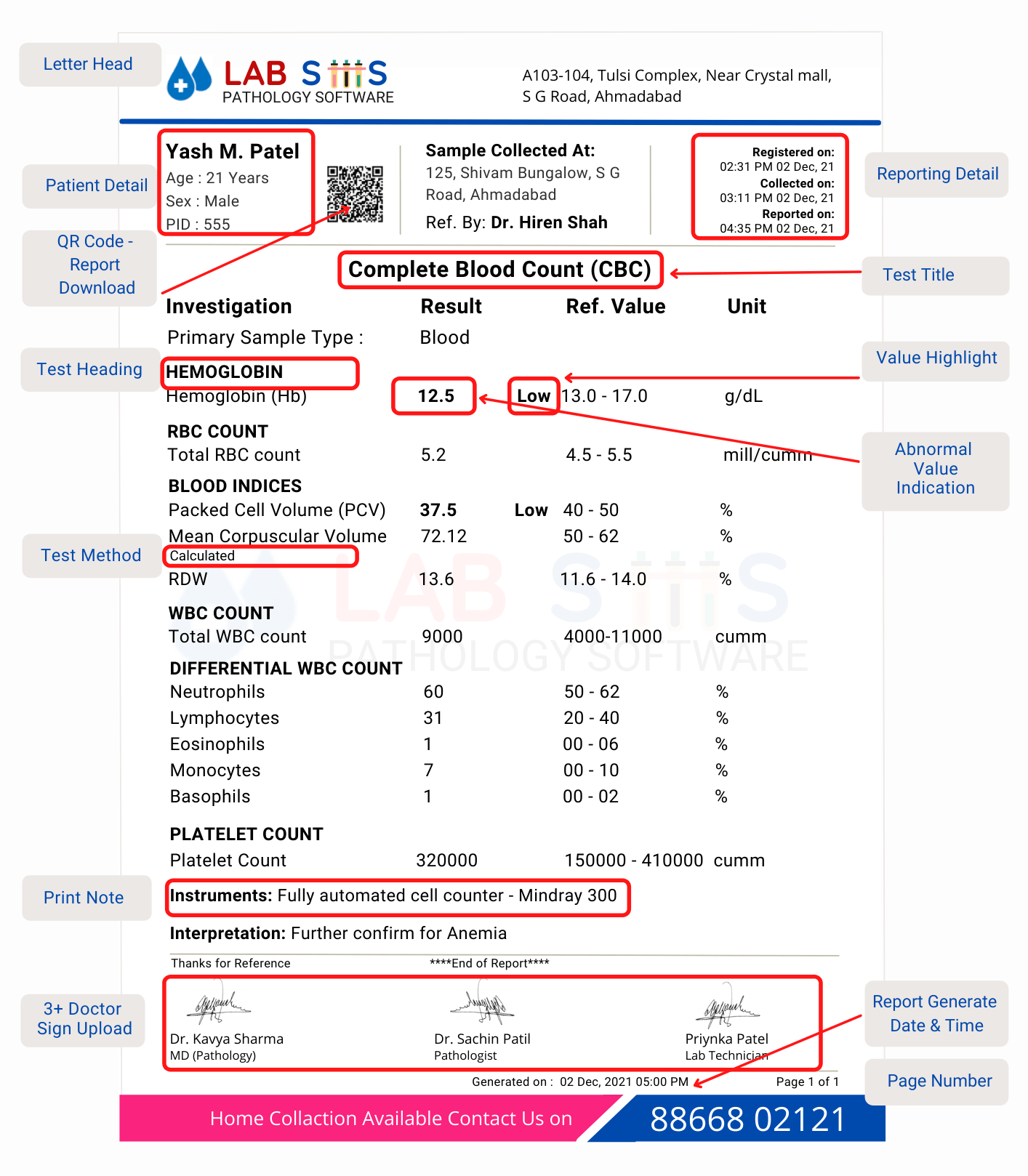
Top 25eal Pathology Report Format Examples
Here are the Top 25eal Pathology Report Format Examples
| Pathology Test Name | Report Format PDF |
|---|---|
| CBC Test | View PDF |
| CRP Test | View PDF |
| RT PCR Test | View PDF |
| RBC Test | View PDF |
| ABC Test | View PDF |
| AMC Test | View PDF |
| Absolute Eosinophil Count Test | View PDF |
| Platelet Count Test | View PDF |
| ALC Test | View PDF |
| Absolute Polymorphs Test | View PDF |
| MCHC Blood Test | View PDF |
| MCH Blood Test | View PDF |
| MCV Blood Test | View PDF |
| MPV Blood Test | View PDF |
| HCT Blood Test | View PDF |
| TSH Test | View PDF |
| Thyroid Antibodies Test | View PDF |
| Thyroid Panel Test | View PDF |
| Hemoglobin Blood Test | View PDF |
| Lipid Profile Test | View PDF |
| HbA1c Test | View PDF |
| PDW Blood Test | View PDF |
| Vitamin B12 Test | View PDF |
| ESR Test | View PDF |
| LFT Test | View PDF |
10 Mistakes Avoided For Pathology Report Format and Template Design
Here are 10 Mistakes Avoided For Pathology Report Format and Template Design.
- Neglecting to customize report templates to suit the specific needs and preferences of pathology workflows.
- Overcomplicating the design with unnecessary elements, leading to confusion and inefficiency.
- Failing to prioritize readability and clarity, hindering interpretation of critical information.
- Ignoring the importance of consistency in formatting, which can affect the professionalism and credibility of reports.
- Using outdated or incompatible software for report design, resulting in compatibility issues and errors.
- Underestimating the significance of user feedback in refining and improving report templates over time.
- Neglecting to adhere to regulatory standards and guidelines, risking compliance issues and legal repercussions.
- Overlooking the need for regular updates and revisions to reflect changes in laboratory protocols or industry best practices.
- Relying solely on generic templates without tailoring them to address specific pathology reporting requirements.
- Underestimating the importance of training and support for staff members responsible for using and maintaining report templates.
Dos vs Don't Foreal Pathology Report Format and Template Design
Here are some Dos vs Don't Foreal Pathology Report Format and Template Design.
| Dos | Don'ts |
|---|---|
| Prioritize clarity and readability | Overcomplicate design with unnecessary elements |
| Customize templates to suit pathology workflows | Use generic templates without customization |
| Ensure consistency in formatting | Neglect consistency in formatting |
| Seek feedback for continual improvement | Ignore user feedback for template refinement |
| Adhere to regulatory standards | Disregard regulatory compliance requirements |
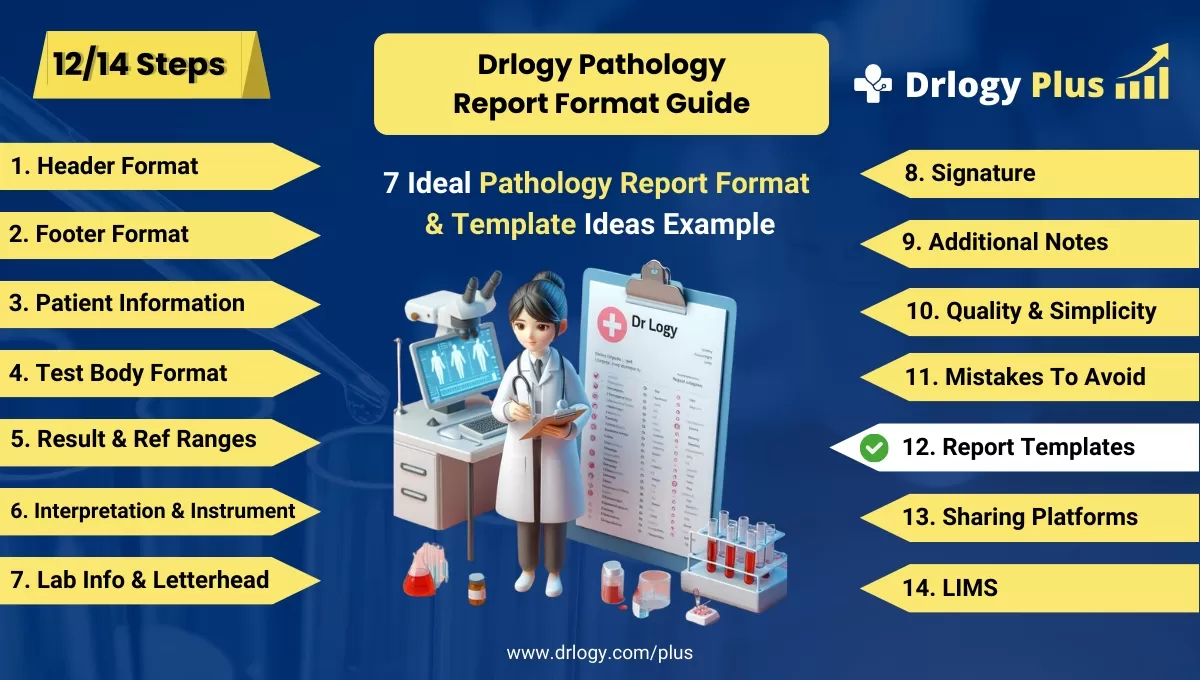
Pathology Report Format Guide
Here are 14 steps guide for designing a pathology lab report format from A to Z.
Summary
Overall, Crafting aneal pathology report format and template is crucial for ensuring clear communication of diagnostic findings, enhancing efficiency in reporting, and upholding credibility in patient care.
Check Drlogy Pathology Report Format Guide For A to Z information regarding how to make proper report format structure to implementation of report format into you lab work.




