Drlogy
Healthcare organization
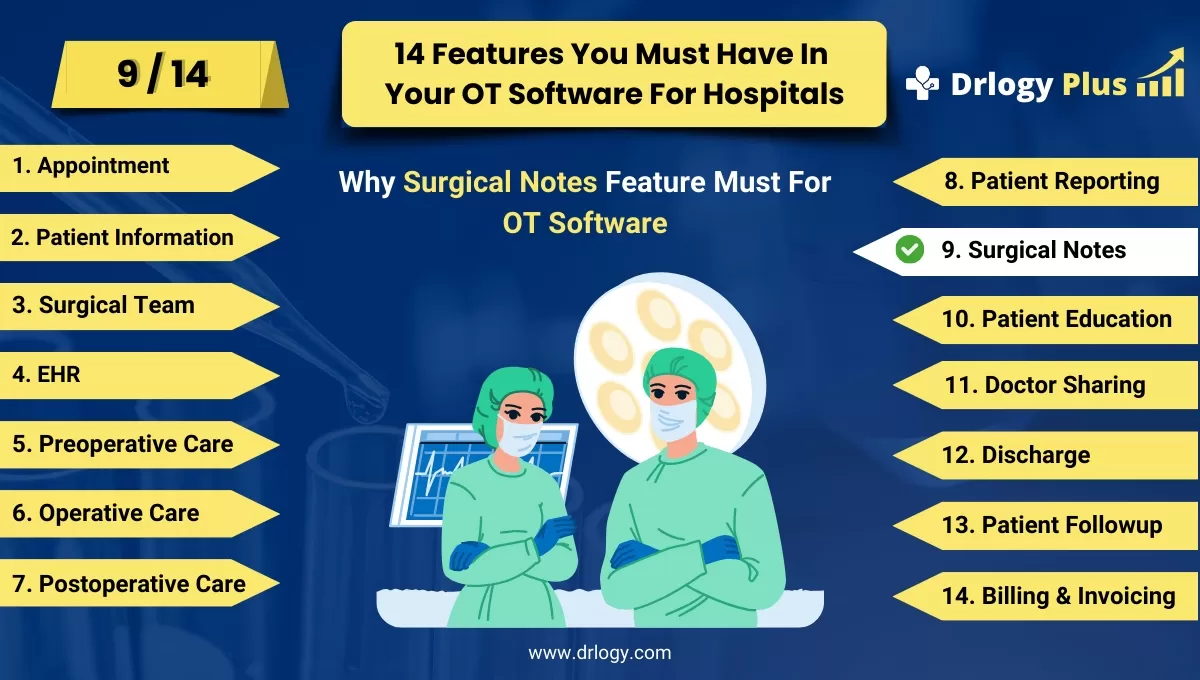
Why Surgical Notes Feature Must In OT Management Software
Surgical notes features in OT software are essential for capturing critical details of surgical procedures, aiding in postoperative care and legal documentation.
Check:
They ensure accurate recording of intraoperative events, support interdisciplinary collaboration, and enhance patient safety by providing comprehensive records for reference.
Check:
10 Best Surgical Notes Features for OT Management Software
Check 10 Best Surgical Notes Features for OT Management Software.
1. Structured Data Entry
- Standardized Templates: Use standardized templates for surgical notes to ensure consistency and completeness.
- Predefined Fields: Include predefined fields for critical information such as patient details, procedure type, and surgeon's name.
- Drop-down Menus: Utilize drop-down menus for common entries to streamline data entry and reduce errors.
- Auto-population: Automatically populate recurring information from the patient’s record to save time.
- Mandatory Fields: Implement mandatory fields to ensure all essential information is captured before submission.
2. Detailed Procedure Descriptions
- Step-by-Step Documentation: Provide a detailed, step-by-step account of the surgical procedure performed.
- Anatomical Diagrams: Incorporate anatomical diagrams to visually illustrate key aspects of the surgery.
- Operative Findings: Record operative findings, including any abnormalities or unexpected issues encountered.
- Technique Variations: Document any variations or deviations from the standard surgical technique used.
- Instrument Tracking: Include detailed notes on the instruments and equipment used during the surgery.
3. Anesthesia Records
- Anesthesia Type: Document the type of anesthesia administered, including dosage and administration method.
- Monitoring Data: Record intraoperative monitoring data, such as blood pressure, heart rate, and oxygen levels.
- Anesthetic Agents: List all anesthetic agents used, along with their respective doses and administration times.
- Anesthesia Complications: Note any complications or adverse reactions related to anesthesia.
- Recovery Details: Include details about the patient’s recovery from anesthesia and any post-anesthesia care provided.
4. Intraoperative Events
- Complication Documentation: Record any intraoperative complications and the steps taken to address them.
- Blood Loss Estimation: Provide an estimation of blood loss during the procedure.
- Critical Decisions: Document any critical decisions made during the surgery and the rationale behind them.
- Team Communication: Note key communications and interactions among the surgical team members.
- Time Stamps: Include time stamps for significant events during the surgery, such as incision and closure times.
5. Postoperative Plans
- Immediate Care Instructions: Document immediate postoperative care instructions and monitoring requirements.
- Follow-up Schedule: Provide a detailed schedule for follow-up appointments and assessments.
- Rehabilitation Guidelines: Include rehabilitation guidelines and physical therapy recommendations if applicable.
- Medication Orders: Record postoperative medication orders, including pain management and antibiotics.
- Discharge Criteria: Outline the criteria for patient discharge and any specific discharge instructions.
6. Consent and Verification
- Consent Confirmation: Confirm that informed consent was obtained and documented prior to the surgery.
- Preoperative Verification: Record the completion of preoperative verification processes, including surgical site marking.
- Patiententification: Include multiple methods of patiententification verification.
- Witness Signatures: Ensure witness signatures are documented where necessary, particularly for consent forms.
- Legal Compliance: Verify that all legal and regulatory requirements for surgical consent and verification are met.
7. Multimedia Integration
- Photographic Documentation: Integrate photographs taken before, during, and after the surgery to supplement notes.
- Video Recording: Include video recordings of the procedure if applicable and relevant.
- Imaging Results: Attach preoperative and intraoperative imaging results, such as X-rays or MRIs.
- Annotations: Allow for annotations on multimedia files to highlight important details.
- Secure Storage: Ensure all multimedia files are securely stored and linked to the patient’s surgical notes.
8. Interdisciplinary Collaboration
- Team Notes: Enable contributions to surgical notes from all members of the surgical team, including nurses and anesthetists.
- Consultation Records: Document consultations with other specialists and their recommendations.
- Collaborative Editing: Allow for real-time collaborative editing of surgical notes by authorized personnel.
- Communication Logs: Maintain logs of all interdisciplinary communications related to the surgical procedure.
- Task Assignments: Record any tasks assigned to team members during the surgery and their completion status.
9. Compliance and Quality Assurance
- Protocol Adherence: Ensure documentation of adherence to surgical protocols and guidelines.
- Audit Trails: Maintain audit trails of all edits and updates made to surgical notes for accountability.
- Quality Metrics: Track and report on quality metrics, such as surgical outcomes and complication rates.
- Peer Reviews: Facilitate peer reviews of surgical notes for quality assurance and continuous improvement.
- Regulatory Compliance: Ensure notes meet all regulatory and accreditation standards for surgical documentation.
10. User-Friendly Interface
- Intuitive Design: Provide an intuitive and user-friendly interface for easy navigation and data entry.
- Customization Options: Allow customization of the interface to fit the preferences and workflow of different users.
- Voice Recognition: Incorporate voice recognition technology for hands-free documentation.
- Mobile Accessibility: Ensure the software is accessible on mobile devices for on-the-go updates.
- Training and Support: Offer comprehensive training and ongoing support to users to maximize effective use of the software.
Drlogy OT Management Software Features Guide
Here are 14 features of Operation Theatre (OT) Management Software for hospitals.
| 1. Appointment | 8. Patient Reporting |
| 2. Patient Information | 9. Surgical Notes |
| 3. Surgical Team | 10. Patient Education |
| 4. EHR | 11. Doctor Sharing |
| 5. Preoperative Checklists | 12. Discharge |
| 6. Operative Preparation | 13. Patient Followup |
| 7. Postoperative Care | 14. Billing and Invoicing |
Summary
Overall, Surgical notes features in OT software provide comprehensive documentation of procedures, fostering interdisciplinary collaboration and enhancing patient safety and care continuity.
Check Drlogy OT Management Software Features Guide for efficient inpatient management and enhanced patient care for your clinics and hospitals for patient management.




