Drlogy
Healthcare organization
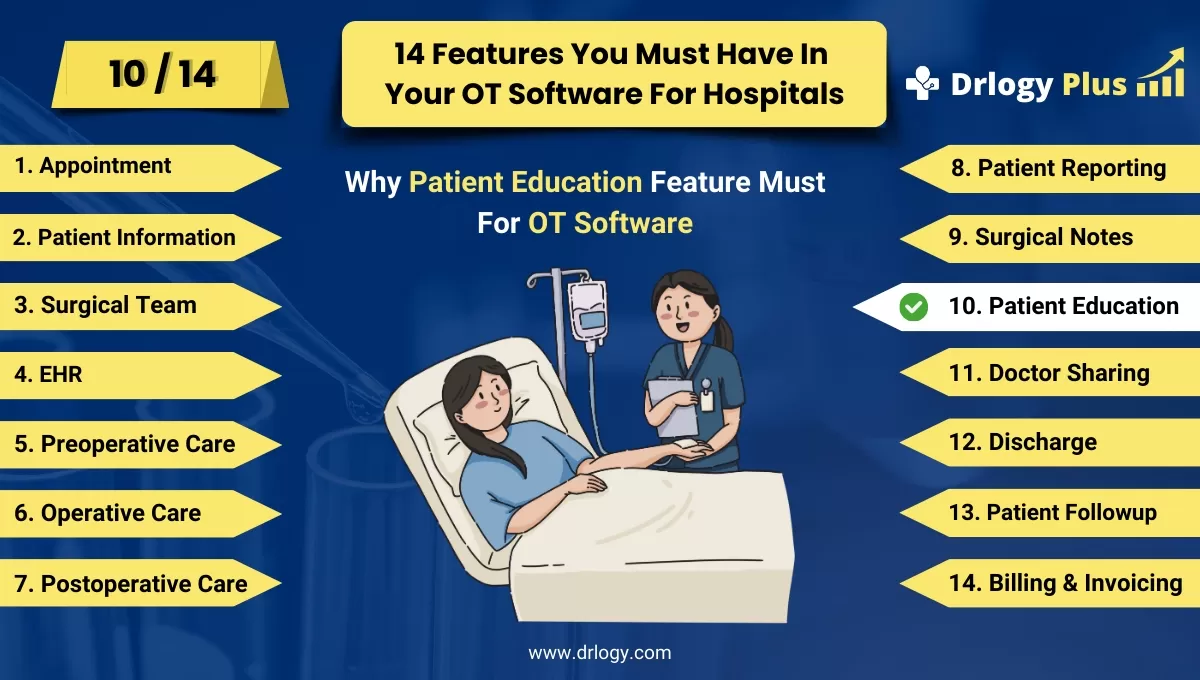
Why Patient Education Feature Must In OT Management Software
Patient education features in OT management software are essential for empowering patients with knowledge about their procedures and recovery.
Check:
These tools enhance patient engagement, improve outcomes, and ensure a better understanding of their medical journey. By providing comprehensive, accessible, and interactive resources, these features support informed decision-making and effective postoperative care.
Check:
10 Best Patient Education Features for OT Management Software
Check 10 Best Patient Education Features for OT Management Software.
1. Comprehensive Educational Materials
- Procedure Information: Provide detailed information about various surgical procedures, including steps, risks, and benefits.
- Recovery Guidelines: Offer clear guidelines on what to expect during recovery and how to manage it effectively.
- Multilingual Support: Include educational materials in multipleuages to cater to a diverse patient population.
- Format Variety: Use various formats such as text, videos, and infographics to cater to different learning preferences.
- Printable Handouts: Allow patients to print handouts for easy reference at home.
2. Interactive Learning Modules
- Quizzes and Assessments: Incorporate quizzes to test patient understanding and reinforce learning.
- Interactive Videos: Use interactive videos that allow patients to engage with the content actively.
- Progress Tracking: Enable patients to track their progress through different learning modules.
- Feedback Mechanism: Provide immediate feedback on quizzes and interactive exercises to correct misunderstandings.
- Gamified Learning: Implement gamification elements to make learning more engaging and enjoyable.
3. Customizable Education Plans
- Personalized Content: Tailor educational content to individual patient needs and conditions.
- Adjustable Reading Levels: Adjust the complexity of the information based on the patient's comprehension level.
- Patient Profiles: Use patient profiles to recommend specific educational resources.
- Cultural Sensitivity: Ensure that the educational plans are culturally sensitive and relevant.
- Regular Updates: Regularly update content to reflect the latest medical guidelines and practices.
4. Postoperative Care Instructions
- Step-by-Step Guides: Provide step-by-step instructions for postoperative care, including wound care and medication management.
- Activity Restrictions: Clearly outline any activity restrictions and timelines for resuming normal activities.
- Dietary Guidelines: Offer dietary recommendations to support recovery.
- Symptom Monitoring: Educate patients on symptoms to watch for and when to seek medical attention.
- Follow-Up Schedules: Include information on follow-up appointments and what to expect during these visits.
5. Accessible Patient Portals
- 24/7 Access: Ensure patients have 24/7 access to educational materials through a secure portal.
- Mobile-Friendly: Optimize the portal for use on mobile devices, making it accessible anywhere.
- Search Functionality: Implement robust search functionality to help patients find specific information quickly.
- Downloadable Resources: Allow patients to download educational resources for offline access.
- User-Friendly Interface: Design the portal with an intuitive, easy-to-navigate interface.
6. Medication Information
- Dosage Instructions: Provide detailed dosage instructions for all prescribed medications.
- Side Effect Management: Educate patients on potential side effects and how to manage them.
- Drug Interactions: Inform patients about possible drug interactions and how to avoid them.
- Administration Techniques: Offer guidance on proper administration techniques, such as how to inject or apply medications.
- Reminders: Include features for setting medication reminders to ensure adherence.
7. Interactive Symptom Checker
- Symptom Input: Allow patients to input their symptoms to receive tailored advice.
- Decision Trees: Use decision trees to guide patients through potential diagnoses and next steps.
- Urgency Indicators: Indicate the urgency of symptoms and when to seek immediate medical attention.
- Follow-Up Recommendations: Provide recommendations for follow-up actions based on symptoms.
- Data Privacy: Ensure that all inputted data is securely stored and protected.
8. Virtual Consultations
- Video Tutorials: Offer video tutorials on how to prepare for and what to expect during virtual consultations.
- Telehealth Integration: Integrate telehealth services for easy access to virtual consultations.
- Pre-Consultation Checklists: Provide checklists for patients to complete before virtual consultations.
- Document Sharing: Enable secure sharing of documents and medical records during virtual consultations.
- Technical Support: Offer technical support to assist patients with accessing and using virtual consultation tools.
9. Support Group Information
- Group Listings: Provide information on support groups relevant to the patient’s condition.
- Meeting Schedules: Include schedules for local and online support group meetings.
- Registration Information: Offer details on how to register for and participate in support groups.
- Peer Stories: Share stories and testimonials from peers who have undergone similar experiences.
- Resources: Provide additional resources and reading materials relevant to support group topics.
10. Feedback and Improvement Mechanisms
- Surveys and Polls: Use surveys and polls to gather patient feedback on educational materials and tools.
- Suggestion Box: Provide a digital suggestion box for patients to recommend improvements.
- Analytics: Analyze usage data toentify popular and underutilized educational resources.
- Continuous Improvement: Regularly update and improve educational content based on patient feedback.
- Patient Advisory Panels: Involve patient advisory panels in the development and review of educational materials to ensure they meet patient needs.
Drlogy OT Management Software Features Guide
Here are 14 features of Operation Theatre (OT) Management Software for hospitals.
| 1. Appointment | 8. Patient Reporting |
| 2. Patient Information | 9. Surgical Notes |
| 3. Surgical Team | 10. Patient Education |
| 4. EHR | 11. Doctor Sharing |
| 5. Preoperative Checklists | 12. Discharge |
| 6. Operative Preparation | 13. Patient Followup |
| 7. Postoperative Care | 14. Billing and Invoicing |
Summary
Overall, Patient education features in OT management software empower patients with vital knowledge, enhancing their engagement and improving overall healthcare outcomes.
Check Drlogy OT Management Software Features Guide for efficient inpatient management and enhanced patient care for your clinics and hospitals for patient management.




