Drlogy
Healthcare organization
Why Appointment Scheduling Feature Must In OT Management Software
Appointment Scheduling features in OT management software streamline the allocation of surgical slots, optimizing resource utilization and minimizing wait times within hospital operating theaters.
Check:
By automating scheduling processes, hospitals can improve operational efficiency, reduce delays, and enhance patient satisfaction with timely access to surgical care.
Check:
10 Best Appointment Scheduling Features for OT Management Software
Check 10 Best Appointment Scheduling Features for OT Management Software.
1. Real-Time Availability Updates
- Automatically update OT availability based on existing bookings and cancellations.
- Prevent double-booking by providing real-time conflict alerts.
- Allow staff to see up-to-date schedules at a glance.
- Facilitate better resource management with instant updates.
- Enhance patient experience by reducing wait times.
2. Automated Reminders
- Send automated appointment reminders to patients via SMS, email, or phone.
- Reduce no-shows and last-minute cancellations.
- Allow patients to confirm or reschedule appointments easily.
- Customize reminder settings based on patient preferences.
- Save staff time and improve overall scheduling efficiency.
3. Integration with Hospital-Wide Scheduling
- Seamlessly integrate OT schedules with the hospital’s overall scheduling system.
- Ensure coordination between different departments and services.
- Avoid scheduling conflicts with other critical hospital resources.
- Provide a comprehensive view of hospital operations.
- Improve communication and collaboration across departments.
4. Online Booking Portal
- Offer patients the convenience of booking OT appointments online.
- Allow patients to choose preferred dates and times based on availability.
- Streamline the booking process for both patients and staff.
- Reduce administrative workload with automated booking confirmations.
- Enhance patient satisfaction with a user-friendly interface.
5. Customizable Scheduling Rules
- Set customizable rules for booking, such as lead times and blackout dates.
- Ensure compliance with hospital policies and protocols.
- Tailor the scheduling process to meet the specific needs of the OT.
- Automatically enforce scheduling rules to prevent errors.
- Improve overall scheduling accuracy and efficiency.
6. Patient Self-Check-In
- Enable patients to check in for their OT appointments using kiosks or mobile devices.
- Reduce waiting times and improve patient flow.
- Automatically update the system with patient check-in status.
- Enhance patient experience with a streamlined check-in process.
- Free up staff to focus on more critical tasks.
7. Resource Allocation Management
- Track and allocate necessary resources, such as staff and equipment, for each OT appointment.
- Ensure all required resources are available and ready.
- Optimize the use of hospital resources to avoid bottlenecks.
- Provide real-time updates on resource status and availability.
- Improve overall operational efficiency and patient care.
8. Emergency Scheduling and Prioritization
- Quickly accommodate emergency surgeries with high-priority scheduling options.
- Automatically adjust non-urgent appointments to make room for emergencies.
- Ensure critical patients receive timely surgical intervention.
- Provide alerts and notifications to relevant staff about schedule changes.
- Maintain a balance between emergency and planned surgeries.
9. Detailed Analytics and Reporting
- Generate detailed reports on appointment scheduling patterns and trends.
- Analyze data toentify areas for improvement in OT utilization.
- Track key performance metrics such as no-show rates and booking efficiency.
- Use insights to optimize scheduling strategies and resource allocation.
- Support decision-making for better operational management.
10. User-Friendly Interface
- Provide an intuitive and easy-to-navigate scheduling interface for staff.
- Minimize the learning curve with a straightforward design.
- Allow quick access to key features and functions.
- Reduce scheduling errors with clear and simple workflows.
- Enhance overall user satisfaction and productivity.
Drlogy OT Management Software Features Guide
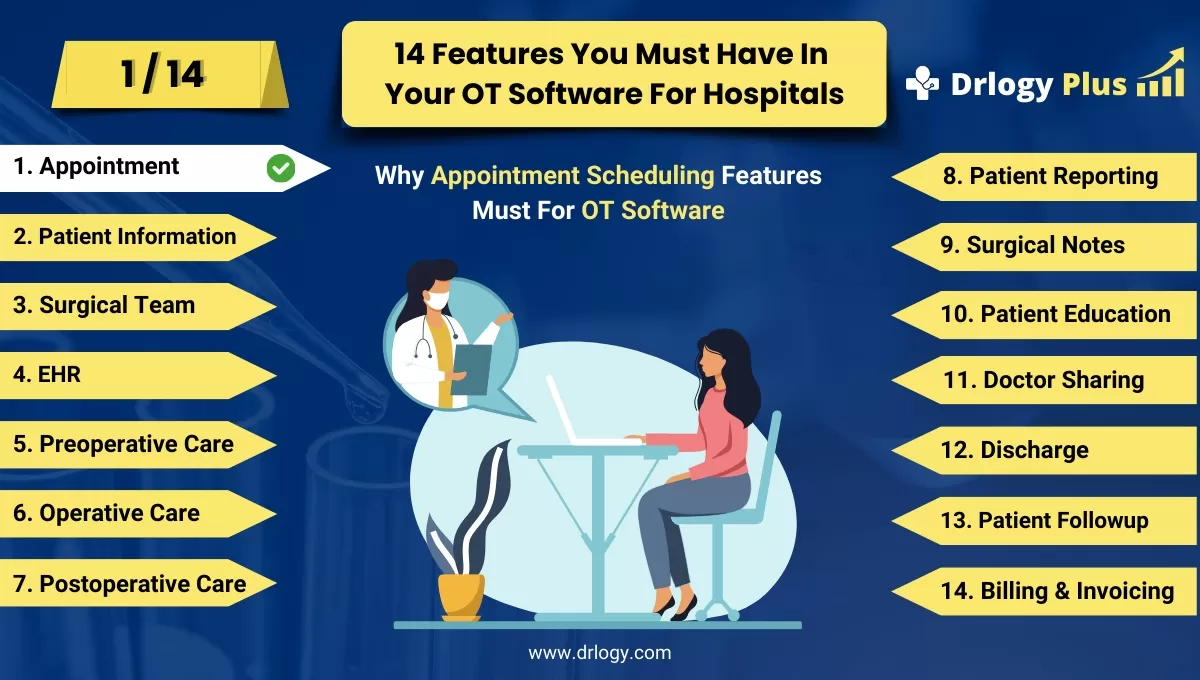
Here are 14 features of Operation Theatre (OT) Management Software for hospitals.
| 1. Appointment | 8. Patient Reporting |
| 2. Patient Information | 9. Surgical Notes |
| 3. Surgical Team | 10. Patient Education |
| 4. EHR | 11. Doctor Sharing |
| 5. Preoperative Checklists | 12. Discharge |
| 6. Operative Preparation | 13. Patient Followup |
| 7. Postoperative Care | 14. Billing and Invoicing |
Summary
Overall, Efficient appointment scheduling features in OT management software optimize surgical workflow and resource allocation, ultimately improving patient access to care and enhancing hospital operational efficiency.
Check Drlogy OT Management Software Features Guide for efficient inpatient management and enhanced patient care for your clinics and hospitals for patient management.




