Drlogy
Healthcare organization
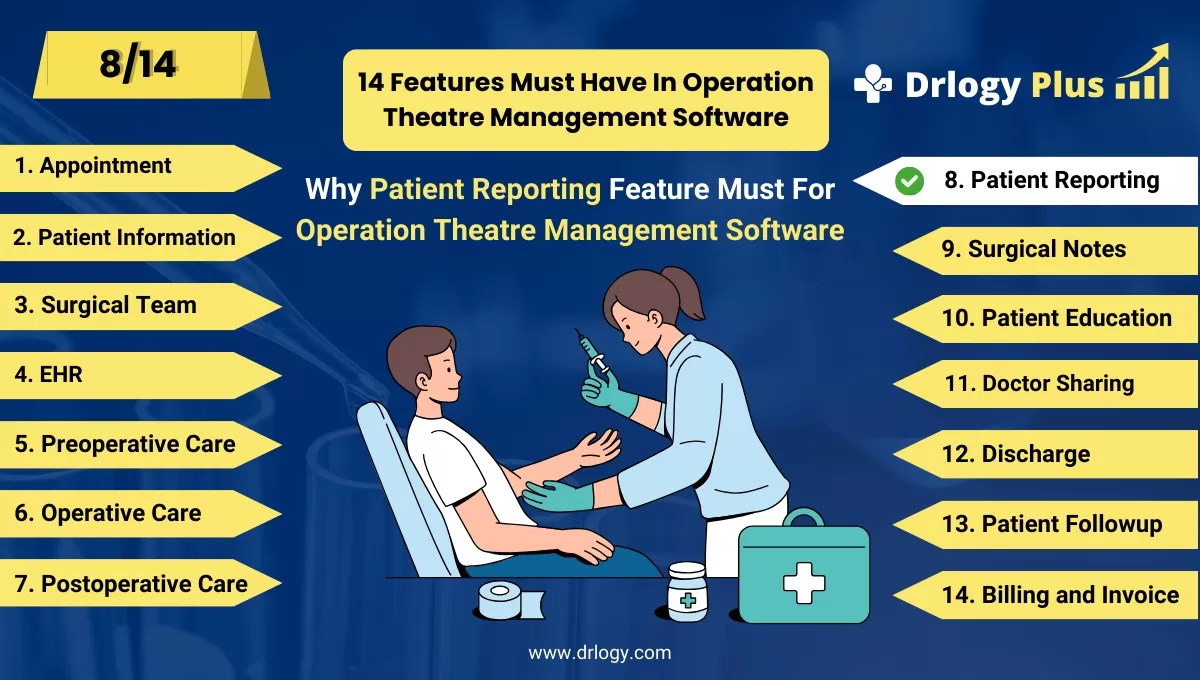
Why Patient Reporting Feature Must In Operation Theatre Management Software
Patient reporting features in Operation Theatre Management Software ensure accurate documentation of surgical procedures and post-surgery care.
Check:
These features help hospitals generate detailed reports, track patient recovery, and improve overall decision-making for better patient outcomes.
Check:
10 Best Patient Reporting Features for Operation Theatre Management Software
Check 10 Best Patient Reporting Features for Operation Theatre Management Software.
1. Comprehensive Surgical Reports
- Automatically generates detailed surgical reports with procedure summaries.
- Includes essential information like the surgeon’s name, operation date, and procedure details.
- Tracks surgical outcomes and complications for better analysis.
- Stores reports securely for future reference and compliance.
- Ensures that complete and accurate documentation is available for patients and medical staff.
2. Patient Discharge Summary Reports
- Provides a detailed summary of the patient’s hospital stay, including preoperative and postoperative care.
- Includes medication lists, follow-up instructions, and recovery tips.
- Ensures that patients leave with a clear understanding of their recovery plan.
- Allows healthcare providers to customize discharge reports as needed.
- Helps improve patient compliance with post-discharge care instructions.
3. Operative Notes and Findings
- Records detailed notes on surgical procedures, findings, and any complications.
- Ensures accurate documentation of the surgeon’s observations during the procedure.
- Includes multimedia attachments like images or videos for better clarity.
- Provides a reference for future surgeries or follow-up care.
- Helps improve patient care by ensuring accurate and comprehensive documentation.
4. Patient Progress Reports
- Tracks a patient’s recovery progress post-surgery.
- Includes vital signs, pain levels, and wound healing updates.
- Allows healthcare providers toentify recovery trends or potential issues.
- Sends alerts to medical staff if the patient’s recovery deviates from the expected timeline.
- Helps doctors adjust treatment plans based on real-time progress reports.
5. Preoperative Assessment Reports
- Documents the patient's condition before surgery, including risk assessments.
- Tracks patient history, allergies, and test results.
- Provides a clear overview of the patient's readiness for surgery.
- Ensures that all necessary preoperative steps are completed before the operation.
- Helps reduce risks by ensuring thorough pre-surgery assessments.
6. Compliance and Audit Reports
- Generates reports to ensure compliance with regulatory and hospital policies.
- Tracks completed tasks, such as sterilization protocols and consent forms.
- Provides audit trails for internal and external inspections.
- Ensures that all surgical procedures meet healthcare standards.
- Helps hospitals avoid legal issues by maintaining thorough records.
7. Postoperative Care Reports
- Provides detailed documentation of postoperative care provided to patients.
- Tracks medication administration, wound care, and physiotherapy sessions.
- Ensures that all postoperative protocols are followed and documented.
- Helps doctors monitor patient recovery more effectively.
- Improves patient outcomes by ensuring continuity of care.
8. Patient Billing and Financial Reports
- Generates detailed billing reports for surgical procedures and hospital stays.
- Tracks all expenses, including medication, equipment, and room charges.
- Ensures transparency in patient billing by providing itemized reports.
- Helps hospitals manage financial records more efficiently.
- Improves patient satisfaction by offering clear and accurate billing details.
9. Infection Control Reports
- Tracks infection control measures during and after surgery.
- Monitors hygiene practices, sterilization, and patient infections.
- Provides insights into infection trends and helps reduce infection rates.
- Alerts staff to any breaches in infection control protocols.
- Ensures that hospitals meet infection control standards for patient safety.
10. Customized Reporting Features
- Allows hospitals to create customized reports based on their specific needs.
- Provides templates for surgical summaries, patient progress, and billing reports.
- Offers flexibility to include or exclude specific data points.
- Helps improve reporting efficiency by saving time on documentation.
- Ensures that hospitals can adapt reporting to meet evolving requirements.
Drlogy Operation Theatre Management Software Features Guide
Here are 14 features of Operation Theatre Management Software for hospitals.
| 1. Appointment | 8. Patient Reporting |
| 2. Patient Information | 9. Surgical Notes |
| 3. Surgical Team | 10. Patient Education |
| 4. EHR | 11. Doctor Sharing |
| 5. Preoperative Checklists | 12. Discharge |
| 6. Operative Preparation | 13. Patient Followup |
| 7. Postoperative Care | 14. Billing and Invoicing |
Summary
Overall, Patient reporting features in Operation Theatre Management Software streamline documentation, improve patient care, and ensure compliance with healthcare standards through accurate and comprehensive reports.
Check Drlogy Operation Theatre Management Software Features Guide for efficient inpatient management and enhanced patient care for your clinics and hospitals for patient management.




