Drlogy
Healthcare organization
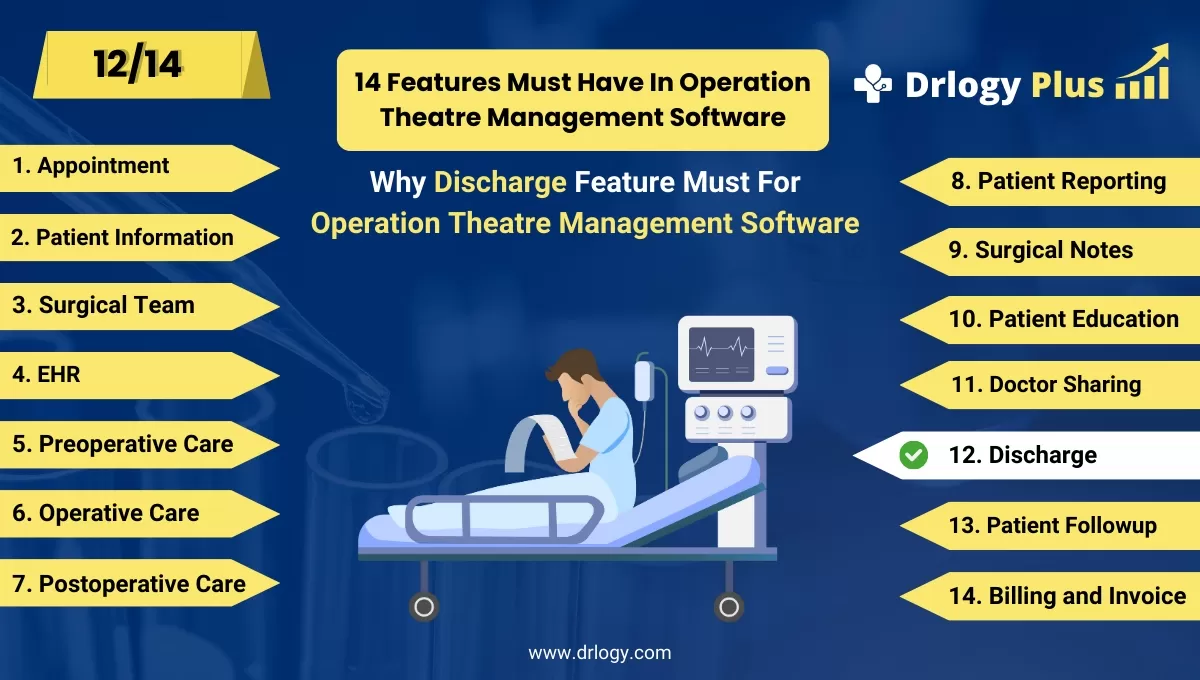
Why Discharge Feature Must In Operation Theatre Management Software
Discharge features in Operation Theatre Management Software streamline the process of releasing patients after surgery.
Check:
These features ensure a smooth transition from hospital to home by providing accurate documentation, post-operative instructions, and follow-up care plans.
Check:
10 Best Discharge Features for Operation Theatre Management Software
Check 10 Best Discharge Features for Operation Theatre Management Software.
1. Automated Discharge Summary Generation
Automatically generates a detailed discharge summary with key surgical details.
- Provides a complete summary of the surgery and treatment.
- Reduces the manual workload for doctors and staff.
- Ensures accuracy in patient records and discharge notes.
- Improves patient understanding of their medical condition and care plan.
- Saves time by eliminating manual documentation processes.
2. Postoperative Care Instructions
Provides personalized care instructions for patients to follow after surgery.
- Includes guidelines on wound care, diet, and activity restrictions.
- Reduces the risk of post-surgical complications.
- Ensures patients know when to seek medical attention.
- Increases patient compliance with recovery protocols.
- Enhances the overall recovery experience for patients.
3. Medication Management
Offers a detailed list of prescribed medications and their instructions.
- Ensures patients understand the purpose and dosage of each medication.
- Minimizes the risk of medication errors post-discharge.
- Provides alerts for critical medications and missed doses.
- Reduces the need for follow-up queries about prescriptions.
- Improves patient adherence to prescribed treatment plans.
4. Follow-Up Appointment Scheduling
Allows staff to schedule follow-up visitsectly during the discharge process.
- Ensures timely follow-up consultations for better recovery tracking.
- Reduces the chances of missed appointments.
- Simplifies the process for patients by providing confirmed dates.
- Helps doctors monitor the patient’s post-surgery progress.
- Improves patient engagement in their care journey.
5. Digital Discharge Forms
Enables patients to complete discharge formalities digitally.
- Reduces the paperwork burden on hospital staff.
- Speeds up the discharge process for both patients and staff.
- Minimizes errors in manual data entry.
- Provides a seamless, paperless discharge experience.
- Enhances patient satisfaction by reducing waiting time.
6. Electronic Signatures for Approval
Allows patients and doctors to provide digital signatures on discharge forms.
- Ensures quick and secure approval of discharge documentation.
- Reduces the need for physical paperwork and storage.
- Enhances compliance with legal and medical standards.
- Increases the efficiency of the discharge process.
- Improves security and data protection for patient records.
7. Discharge Checklists
Offers a comprehensive checklist to ensure all discharge protocols are met.
- Ensures nothing is overlooked during the discharge process.
- Includes reminders for medication, follow-up appointments, and care instructions.
- Reduces the risk of post-discharge complications.
- Improves communication between hospital staff and patients.
- Enhances patient safety and satisfaction.
8. Patient Feedback Collection
Collects patient feedback during the discharge process.
- Helps hospitalsentify areas for improvement.
- Encourages patients to share their experience and concerns.
- Increases patient trust and engagement with the hospital.
- Provides actionable insights for service enhancement.
- Strengthens the hospital’s reputation and patient relationships.
9. Insurance and Billing Integration
Integrates the discharge process with billing and insurance claims.
- Ensures patients receive a clear breakdown of charges.
- Simplifies the insurance claim process for patients.
- Reduces billing errors and delays.
- Provides transparency in the payment process.
- Improves patient experience by reducing financial confusion.
10. Discharge Notifications
Sends automated notifications to patients after discharge.
- Reminds patients about medication schedules and follow-up appointments.
- Keeps patients informed about their recovery plan.
- Reduces the chances of missed care instructions.
- Helps caregivers stay updated on the patient’s recovery process.
- Enhances patient engagement and compliance with care protocols.
Drlogy Operation Theatre Management Software Features Guide
Here are 14 features of Operation Theatre Management Software for hospitals.
| 1. Appointment | 8. Patient Reporting |
| 2. Patient Information | 9. Surgical Notes |
| 3. Surgical Team | 10. Patient Education |
| 4. EHR | 11. Doctor Sharing |
| 5. Preoperative Checklists | 12. Discharge |
| 6. Operative Preparation | 13. Patient Followup |
| 7. Postoperative Care | 14. Billing and Invoicing |
Summary
Overall, Discharge features in Operation Theatre Management Software ensure a smooth and efficient discharge process by automating documentation, providing clear instructions, and improving patient engagement, leading to better recovery outcomes and patient satisfaction.
Check Drlogy Operation Theatre Management Software Features Guide for efficient inpatient management and enhanced patient care for your clinics and hospitals for patient management.




