Drlogy
Healthcare organization
14 Best Features You Must Have in Oncologist Software
Oncology practices require highly specialized care involving long treatment cycles, chemotherapy, surgery, and constant monitoring. Managing patient histories, lab results, and treatment protocols manually can be overwhelming.
Check:
A dedicated Oncologist Software helps streamline workflows, improve accuracy, and enhance patient care while reducing administrative burdens.
10 Way Staff Management Feature Supports Oncologist Software
Here are 10 Way Staff Management Feature Supports Oncologist Software.
1. Patient Registration
- Quick digital onboarding with demographics & medical history.
- Cancer-specific details like stage, type, and family history.
- Unique creation for each patient.
- Insurance and referral data capture.
- Secure digital records for long-term monitoring.
2. Patient Queue Management
- Token-based queue display for OPD/IPD visits.
- Priority slots for chemotherapy/radiotherapy patients.
- Real-time updates to reduce waiting time.
- Coordination with multiple oncologists.
- Queue sync for multi-branch hospitals.
3. OPD Management
- Templates for oncology-specific consultations.
- Recording symptoms, staging, and progress.
- Tracking of chemotherapy, radiotherapy, and hormonal therapy sessions.
- Visit history with complete medication details.
- Integration with diagnostic and pathology reports.
4. IPD Management
- Bed allocation for oncology wards.
- Daily progress and vitals monitoring.
- Chemotherapy cycle tracking.
- Discharge summaries with treatment notes.
- Integration with pharmacy and billing.
5. ICU & OT Management
- Scheduling for surgeries like tumor removal.
- ICU monitoring for critical oncology patients.
- Pre- and post-operative notes management.
- Operation theatre calendar for oncologists.
- Equipment and anesthesia record tracking.
6. Billing & Invoice
- Multi-service billing for consultations, chemo, and surgery.
- Insurance and TPA support for oncology treatments.
- Package billing for chemotherapy cycles.
- Multiple payment mode support.
- Automated invoices with outstanding reminders.
7. EMR/EHR Reports
- Comprehensive oncology case sheets.
- Progress tracking with staging & treatment history.
- Integration of lab, imaging, and pathology reports.
- Long-term monitoring of treatment outcomes.
- Secure,-based access for authorized staff.
8. Lab Management
- Integrated pathology and histopathology module.
- Sample tracking with barcode system.
- Automated lab report generation.
- Alert system for critical test values.
- Linking resultsectly to patient EMR.
9. ECG & USG Reports
- Digital integration of ECG & USG reports.
- Easy comparison with past results.
- Automated upload and storage.
- Quick access for oncologists during treatment review.
- Role-based sharing with patients.
10. Patient Followup
- Automated reminders for chemo/radiotherapy sessions.
- Follow-up scheduling for long-term monitoring.
- Alerts for missed visits.
- Remote teleconsultation options.
- Comparative outcome tracking.
11. Oncology Templates
- Predefined templates for different cancers.
- Chemotherapy regimen documentation.
- Radiation therapy planning formats.
- Staging and grading templates.
- Customizable by oncologists as per protocols.
12. Patient Education
- Videos and brochures on treatment side effects.
- Lifestyle and diet guidance for oncology patients.
- Chemotherapy preparation instructions.
- Mental health support material.
- Multilingual education resources.
13. Mobile App
- Doctor app for quick patient record access.
- Patient app for chemo schedules and reports.
- Push notifications for follow-up reminders.
- Teleconsultation for remote care.
- Feedback and satisfaction survey system.
14. Staff Management
- Duty scheduling for oncologists, nurses & technicians.
- Attendance and leave tracking.
- Training and certification management.
- Role-based access to sensitive data.
- Performance reports by staff.
Drlogy Oncologist Software Features
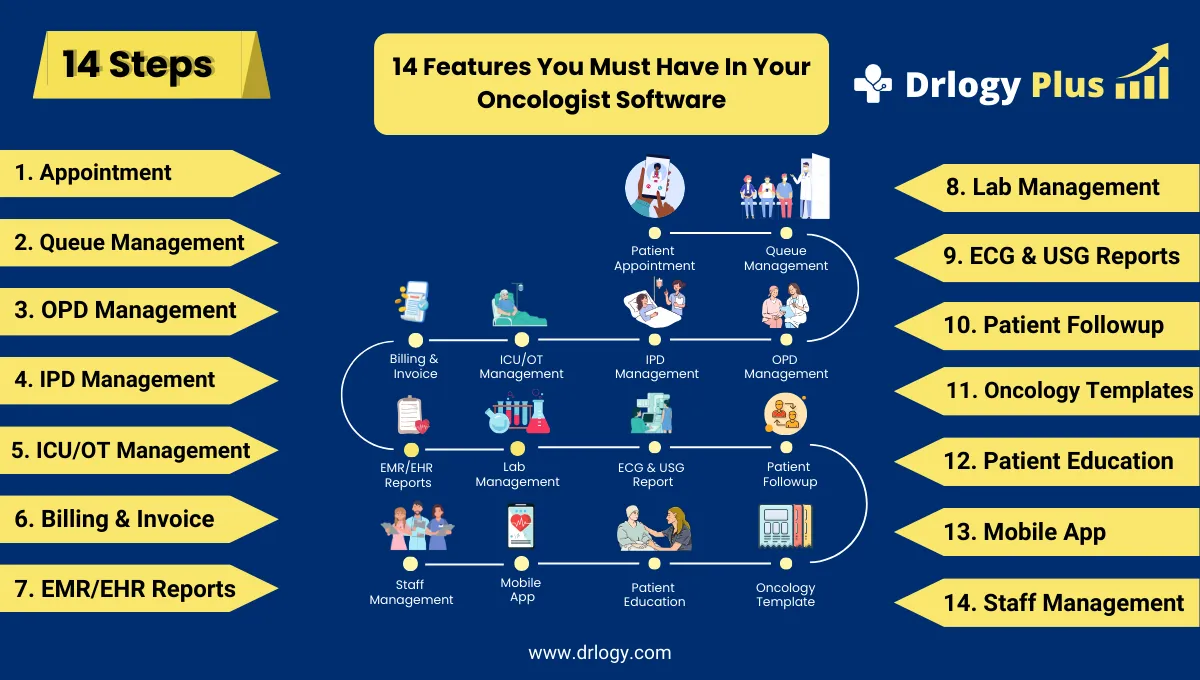
Here are 14 basic features for Drlogy Oncologist Software.
Summary
Overall, A complete Oncologist Software integrates patient care, diagnostics, treatment tracking, and education, helping oncologists deliver efficient, accurate, and compassionate cancer care.
Check Drlogy Oncologist Software Features Guide streamline oncology clinic management, improve patient flow for cancer related conditions, and enhance overall efficiency in oncology practice for cancer patient.




