Drlogy
Healthcare organization
Why Patient Management Features For Hospital Administration Software
Efficient patient management is vital for hospital administration, ensuring streamlined operations and enhanced patient care.
Recommended
Integrating advanced patient management features into hospital software significantly improves service delivery and overall patient satisfaction.
10 Reasons Why Patient Management Feature Must For Hospital Administration Software
Here are 10 Reasons Why Patient Management Feature Must For Hospital Administration Software.
1. Streamlined Patient Registration
- Quick Data Entry: Simplifies the patient registration process by allowing quick and accurate data entry, reducing waiting times.
- Electronic Records Creation: Automatically creates electronic patient records, ensuring all necessary information is captured from the start.
- Duplicate Record Prevention: Prevents the creation of duplicate records by cross-referencing existing patient data, ensuring data accuracy.
- Customizable Forms: Provides customizable registration forms tailored to the specific needs of the hospital, enhancing data collection efficiency.
- Integration with Other Systems: Seamlessly integrates with other hospital systems, such as billing and EMR, to ensure patient data flows smoothly across departments.
2. Comprehensive Patient Tracking
- Real-Time Location Monitoring: Tracks patient location within the hospital in real-time, ensuring staff can quickly locate patients when needed.
- Care Pathway Visibility: Provides a clear view of the patient’s care pathway, enabling efficient coordination among departments.
- Appointment Status Updates: Allows staff to monitor appointment statuses and ensure patients are seen promptly, reducing wait times.
- Critical Alerts: Sends alerts for critical patient status changes, ensuring timely interventions and continuous monitoring.
- Bed Management Integration: Integrates with bed management systems to optimize bed allocation and ensure efficient patient flow.
3. Enhanced Communication with Patients
- Automated Appointment Reminders: Sends automated reminders via SMS or email, reducing missed appointments and improving patient attendance.
- Patient Portal Integration: Provides a secure portal where patients can view their medical records, appointments, and communicate with their healthcare providers.
- Feedback Channels: Offers patients easy access to feedback channels, allowing them to provide input on their care experience.
- Secure Messaging: Facilitates secure messaging between patients and healthcare providers, ensuring patient queries are addressed promptly.
- Language Support: Includes multilingual support to cater to patients from diverse backgrounds, improving communication and care delivery.
4. Efficient Appointment Scheduling
- Online Booking System: Allows patients to book appointments online, improving convenience and reducing administrative workload.
- Calendar Integration: Synchronizes with calendars to provide real-time updates on available slots, ensuring efficient use of time.
- Appointment Rescheduling: Provides easy rescheduling options for patients and staff, helping to manage changes without disruption.
- Multiple Appointment Types: Supports different appointment types, such as consultations, follow-ups, and procedures, for better organization.
- Appointment Prioritization: Enables prioritization of appointments based on patient needs, ensuring urgent cases are seen promptly.
5. Improved Patient Experience
- Personalized Care Plans: Facilitates the creation of personalized care plans, improving patient satisfaction and outcomes.
- Patient Education Materials: Provides access to educational materials, helping patients understand their conditions and treatments better.
- Feedback Collection: Collects patient feedback systematically, allowing for continuous improvement in care delivery.
- Waiting Time Reduction: Minimizes patient waiting times through efficient scheduling and workflow management.
- Accessible Medical Records: Ensures patients can easily access their medical records, empowering them to take an active in their care.
6. Decision Making
- Patient Analytics: Provides analytics on patient demographics, treatment outcomes, and satisfaction, helping to improve care strategies.
- Predictive Modeling: Uses predictive modeling toentify patient needs and anticipate future healthcare demands.
- Resource Allocation Insights: Offers insights into resource utilization, enabling better planning and allocation of hospital resources.
- Patient Outcome Tracking: Monitors patient outcomes over time, helping to refine treatment protocols and improve care quality.
- Benchmarking: Compares hospital performance against industry benchmarks, guiding improvements in patient management practices.
7. Regulatory Compliance and Reporting
- HIPAA Compliance: Ensures patient data management practices comply with HIPAA and other regulations, protecting patient privacy.
- Automated Reporting: Generates automated reports for regulatory bodies, simplifying the compliance process.
- Audit Trails: Maintains detailed audit trails of patient interactions, supporting transparency and accountability.
- Data Encryption: Encrypts patient data to safeguard it from unauthorized access, ensuring compliance with data protection standards.
- Access Control: Implement strict access controls to ensure only authorized personnel can view or modify patient records.
8. Seamless Integration with Other Hospital Systems
- EMR Integration: Integrates seamlessly with Electronic Medical Records (EMR) systems, ensuring that patient data is updated and accessible in real time.
- Billing System Linkage: Links with billing systems to ensure accurate and timely invoicing based on patient treatments and procedures.
- Lab and Imaging Integration: Connects with lab and imaging systems to streamline the process of ordering tests and receiving results.
- Pharmacy Integration: Integrates with pharmacy systems, ensuring accurate medication management and reducing prescription errors.
- Referral Management: Facilitates the referral process by integrating with external providers and specialists, ensuring continuity of care.
9. Enhanced Patient Data Management
- Centralized Database: Provides a centralized database for storing all patient information, ensuring easy access and efficient management.
- Data Accuracy: Implements tools for ensuring data accuracy and completeness, reducing errors in patient records.
- Custom Reports: Allows for the generation of custom reports, tailored to the needs of different departments and management levels.
- Historical Data Access: Provides access to historical patient data, enabling better long-term care planning and continuity.
- Data Backup and Recovery: Ensures that patient data is regularly backed up and can be quickly recovered in case of data loss or system failure.
10. Patient-Centered Care Coordination
- Interdepartmental Collaboration: Facilitates collaboration between different departments, ensuring coordinated and comprehensive patient care.
- Care Team Communication: Enhances communication within care teams, ensuring that all members are informed of the patient’s status and treatment plan.
- Patient Follow-Up Tracking: Tracks follow-up appointments and care plans, ensuring that patients receive the necessary post-treatment care.
- Discharge Planning: Supports discharge planning processes, ensuring that patients are prepared for their transition from hospital to home care.
- Chronic Care Management: Manages chronic conditions more effectively by coordinating care across multiple visits and healthcare providers.
Drlogy Hospital Administration Software Features Guide For HMIS
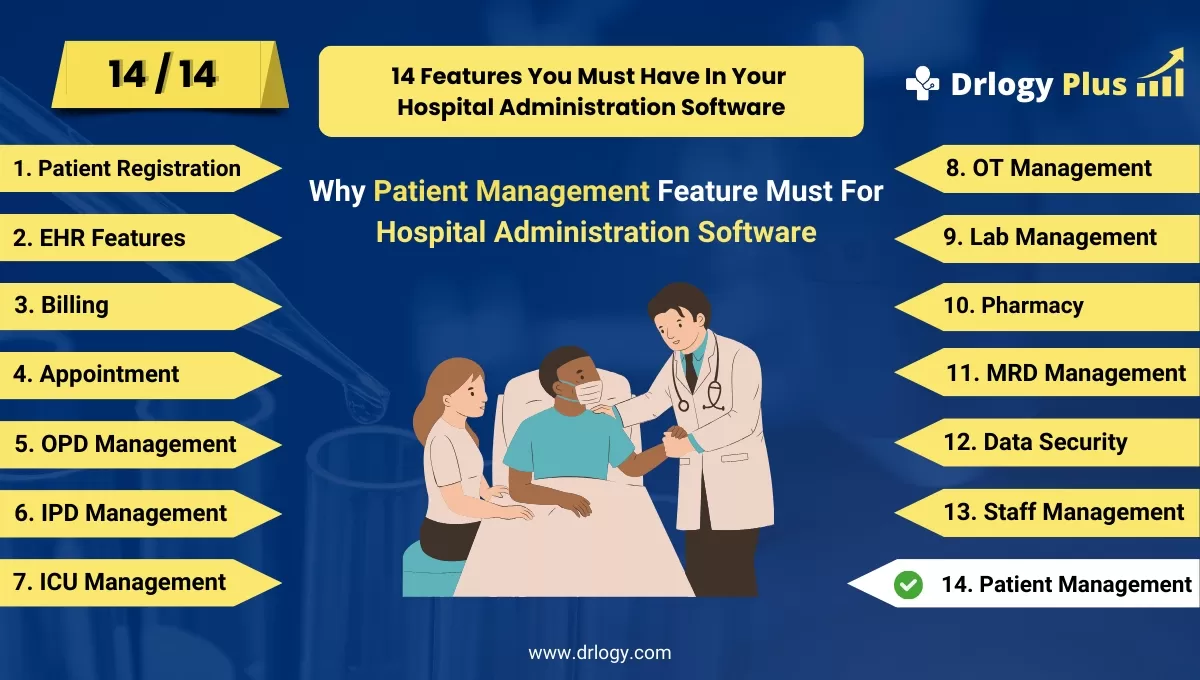
Here are 14 Steps Drlogy Hospital Administration Software Features Guide For HMIS Selection.
| 1. Patient Registration | 8. OT Management |
| 2. EHR Features | 9. Lab Management |
| 3. Billing Management | 10. Pharmacy |
| 4. Appointment | 11. MRD Management |
| 5. IPD Management | 12. Data Security |
| 6. OPD Management | 13. Staff Management |
| 7. ICU Management | 14. Patient Management |
Summary
In summary, Incorporating a robust patient management feature in hospital administration software is essential for streamlining operations, enhancing patient care, ensuring regulatory compliance, and improving overall hospital efficiency.
Explore the complete 14 steps Drlogy Hospital Administration Software guide for comprehensive insights into optimizing hospital operations and patient care.




